Official results for an Event

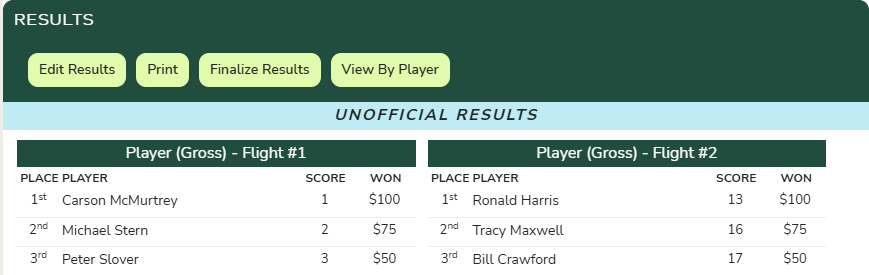
While play is ongoing, Unknown Golf displays results in real time based on the official scores that have been entered. These results are marked with a blue banner indicating they are unofficial, meaning not all scores may be finalized or validated.
Once all scoring is complete, results can be made official by clicking the “Finalize Results” button located at the top of the results on the Event Home page.
Changes after results are set official
After results are set official, Unknown Golf will no longer update scores automatically. Changes such as updates to Leaderboard settings, editing scores, or adding new scores will not affect official results.
To update results after they have been finalized, you can either:
- Delete all results, which will return them to an unofficial state and allow real-time recalculation
- Click “Calculate Official Results” button on the results page to recalculate and re-finalize the results.