Tee Time Pairings Overview
Assigning players to tee times for an event is a two-step process.
Step 1: Create the tee times—either by automatically generating them in bulk or by creating them manually one at a time.
Step 2: Assign players to tee times—either automatically or manually.
For golf club events, when using auto-assign, it is typically best to assign players by Flight.
Here is a short overview video on tee time pairings.
Best Practice
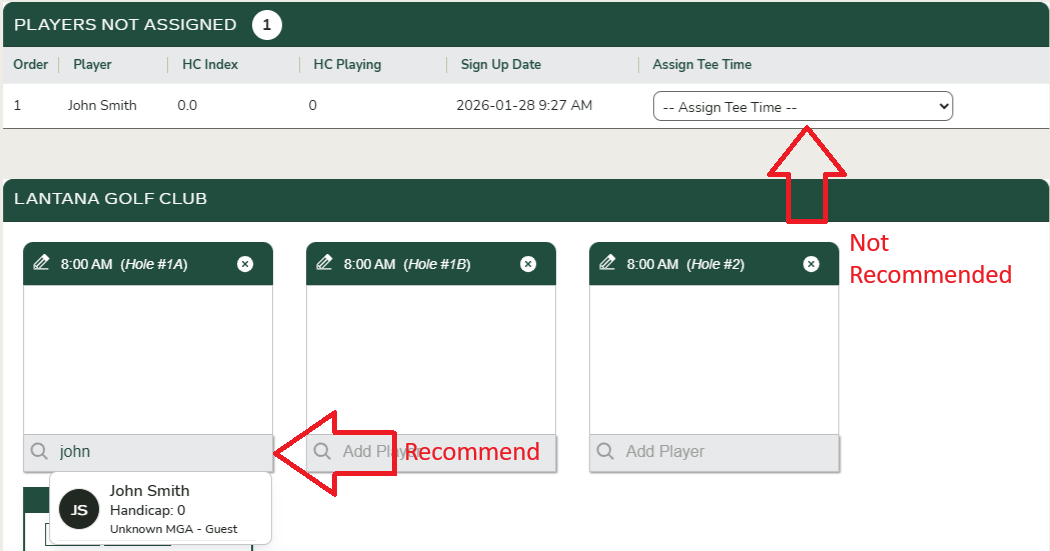
If you plan to manually assign players to tee times, we recommend using the search fields at the bottom of each tee time box. Using the drop-down next to a player’s name in the Not Assigned section works well for individual assignments, but it is less efficient for assigning multiple players.