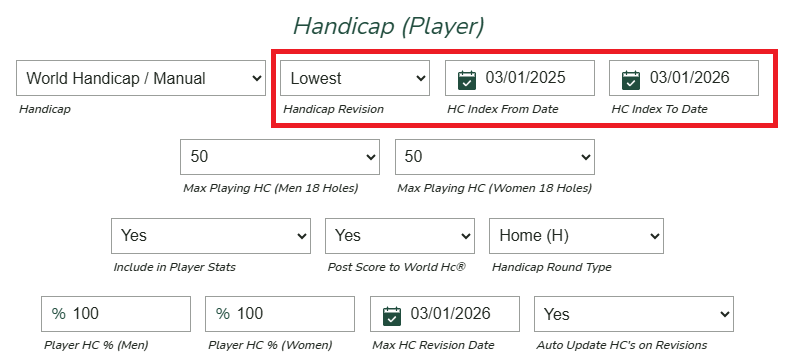
Use a player’s lowest handicap over a defined time period

In formats such as Member-Guest events, it is common to use a player’s lowest handicap revision over a defined period of time (typically the past 3, 6, or 12 months).
To configure this in Unknown Golf, navigate to Event Settings and scroll to the Handicap (Player) section. Change the Handicap Revision setting from “Latest” to “Lowest”, then enter the start and end dates for the desired time period.
When the event is configured to us the "Lowest" over a period of time the "Max Handicap Revision Date" configuration is ignored.