Create your first community event
To create an event within your community, start by navigating to the community homepage, then use the menu to go to Event → Add Event.
Here is a brief video that walks through setting up an event.
Best Practice
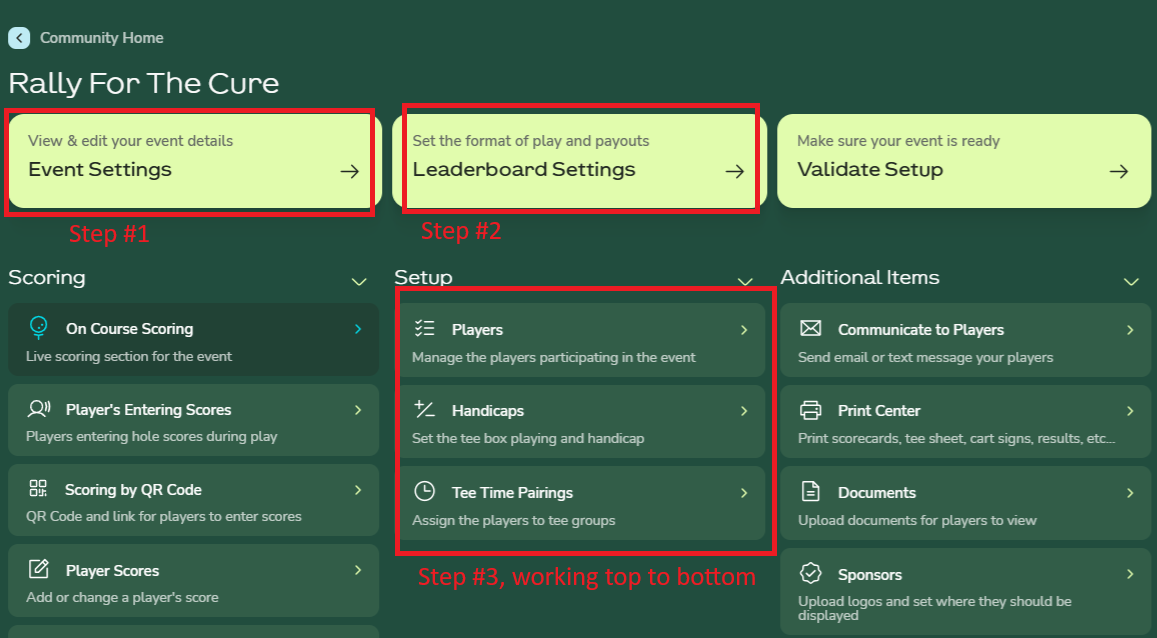
We recommend beginning with the Event Settings, which define the core details of the event, followed by the Leaderboard Settings, which determine the format of play. Once those are complete, you can continue through the remaining options by working down the middle column of buttons from top to bottom.