Use different handicaps for leaderboards within an event

Overview
Unknown Golf allows you to use two different handicaps within the same round of an event. This is useful when, for example, you want players to use their full 100% handicap for stroke play, but apply an 85% handicap for the team competition.
These handicap variations for a player or team are determined by their course handicap (100%) and their playing handicap, which is calculated by applying the handicap allocation percentage to the course handicap.
Leaderboard Configuration
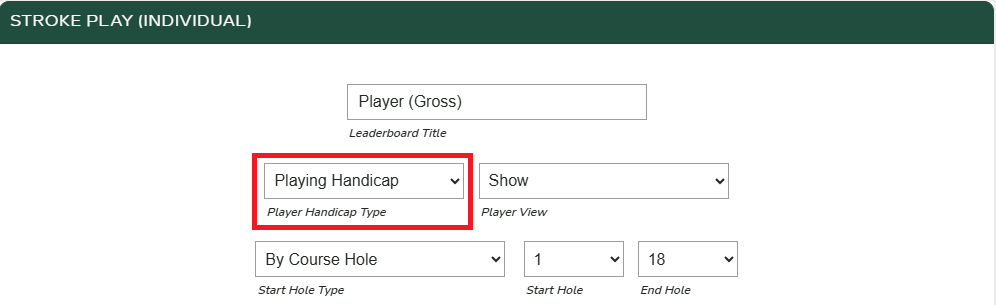
When configuring your leaderboards, you can choose which handicap—Course or Playing—will be used to calculate the standings. The default selection is the Playing Handicap.
In the scenario described above, you would select the Course Handicap for the stroke-play leaderboard and the Playing Handicap for the team leaderboard.
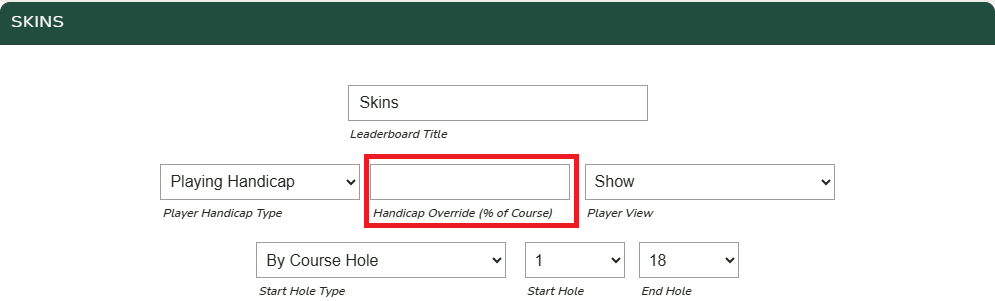
Skins Leaderboard Configuration
The Skins leaderboard is unique in that it includes an option to specify the percentage of the Course Handicap to be used. When a value is entered in this setting, the player’s handicap for the Skins leaderboard will be adjusted accordingly.