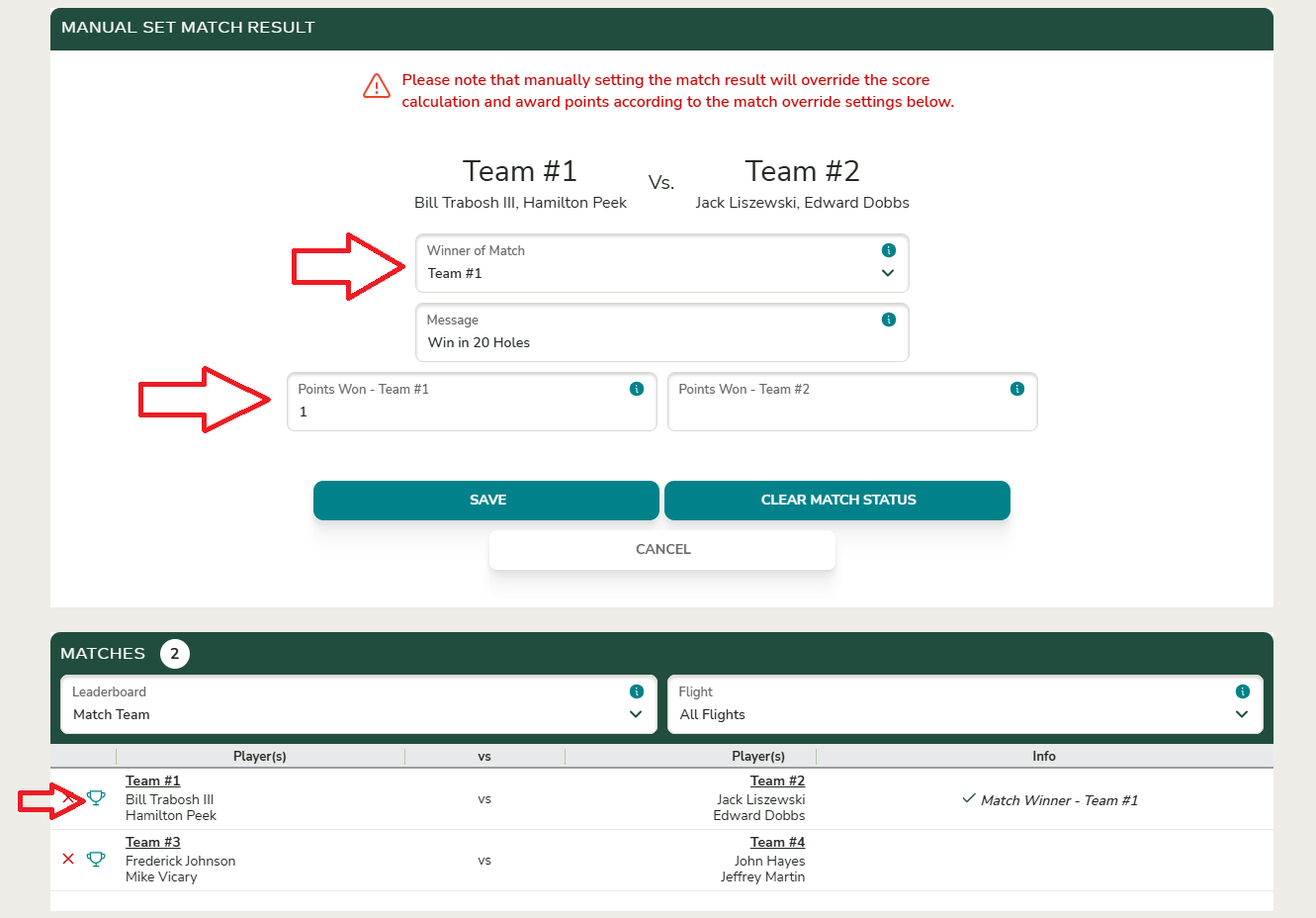
Set match play winner (manually)

Overview
If you need to manually set the winner of a match, this option is available in the Match Play section of the event.
You may need to manually assign a winner if a tie was decided using extra holes that were not recorded in scoring, or if the players reported the match result without submitting hole-by-hole scores.
Steps to Manually Set a Match Play Winner
- Open Event Setup
- From the Event Home on a single round event, or Round Home on a multi-round event, select the Match Play button located in top navigation of buttons.
- Enter the Match Result
- Locate the match you want to update and click the Trophy Icon located to left of each match.
- Select the Winner
- Choose the winning player or team from the list.
- Optionally, you can enter a match result (e.g., “3 & 2” or “1 Up”).
- Optionally, you can override pts won, if different from your automated setup.