Print hole pin sheets

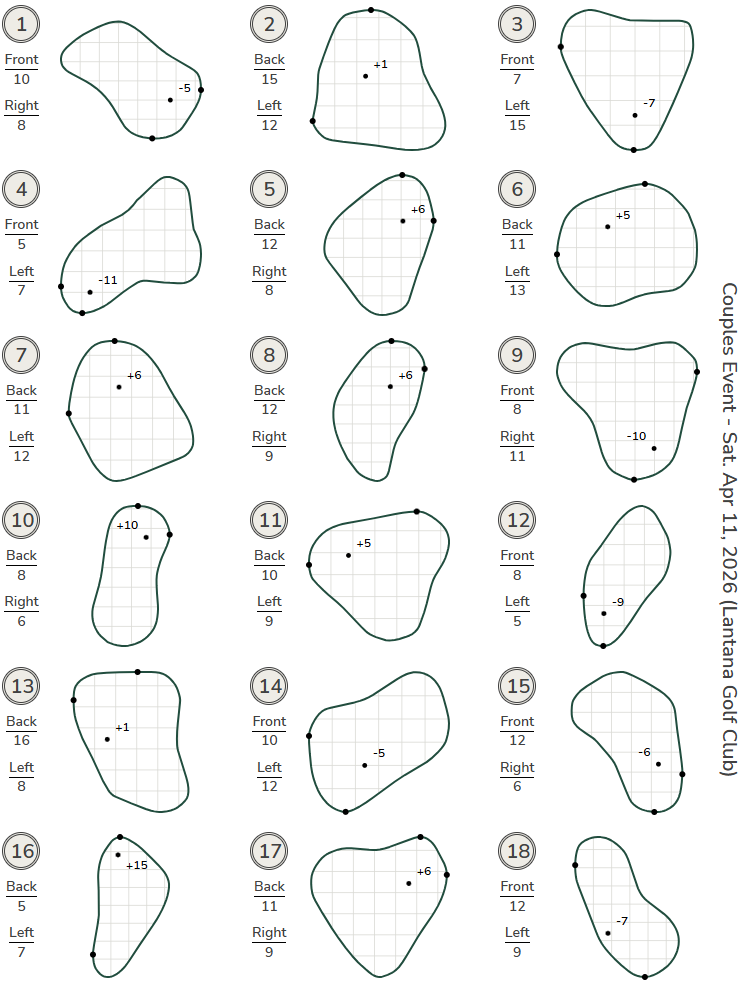
Pin Sheets (located in the Print Center) allow an event leader to configure pin placements for an event or round and print a pin sheet for distribution to players.
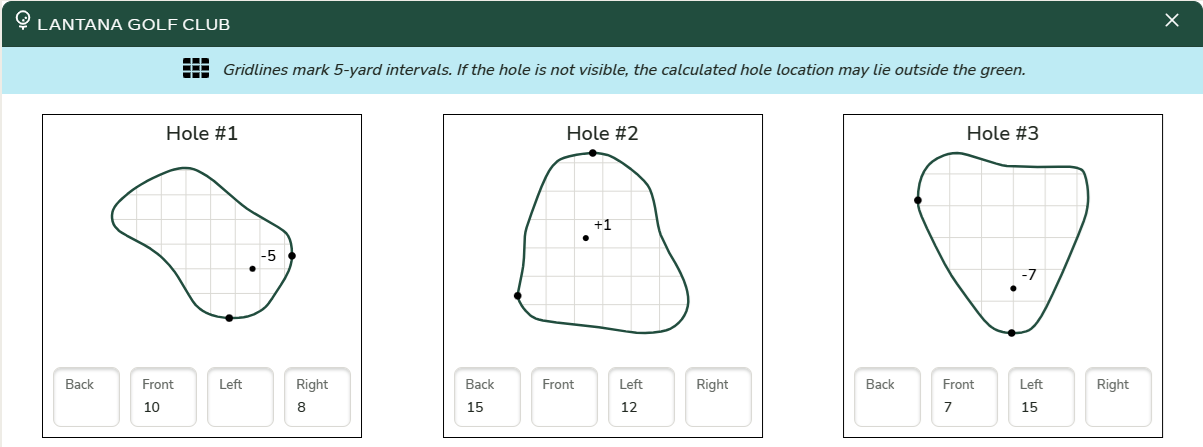
Each hole’s green outline is generated using StrackaLine data. The pin location is determined by entering the distance in paces (yards) from the front or back of the green and from the left or right side of the green.
The number displayed next to the pin represents the depth from the center of the green.
The two points shown on the green outline indicate the reference points used to calculate and display the pin location.
The gridlines on the green indicate 5-yard intervals and are provided as a reference for distance.
Pin Location Entry
From the Print Center, the Pin Sheet link provides access to configure the pin location for each hole and print the pin sheet.
Setting a pin placement requires entering two data points: the depth paces (from the Front or Back of the green) and the side paces (from the Left or Right side of the green).
If the hole is not visible on the green diagram, the calculated hole location may fall outside the green boundary.
Pin Location Assignment App
The Pin Location Assignment app provides a convenient way to enter the pin location for each hole, for additional information reference article Can I set the pin location while marking the course?
Example
Here is a sample of pin sheet print