Set winners for leaderboard type winner / trash

Overview
The Winners / Trash leaderboard is typically used for contests such as “Closest to the Pin” and “Longest Drive.”
Only an event administrator can assign the winning players or teams for a Winners / Trash leaderboard.
- Navigate to the Event Home where all of the administration buttons are located.
- Click on the Set Leaderboard Winner(s) button located in the button menu navigation towards the top.
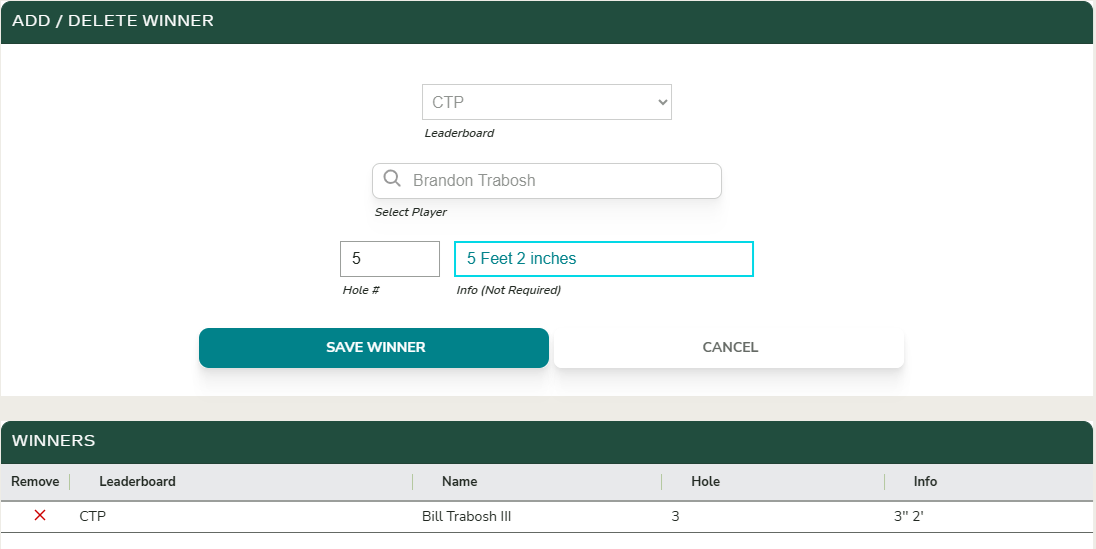
- Select the Leaderboard for which you want to designate the winning players or teams, and then enter the hole information if prompted.
Multiple players or teams can be designated as winners. After you search for and select a winner, you will be prompted to enter the hole information (if the leaderboard is configured to award by hole).
Results
The results will begin to calcuate and show the winners and their respective winnings once you enter the winners as designated above.