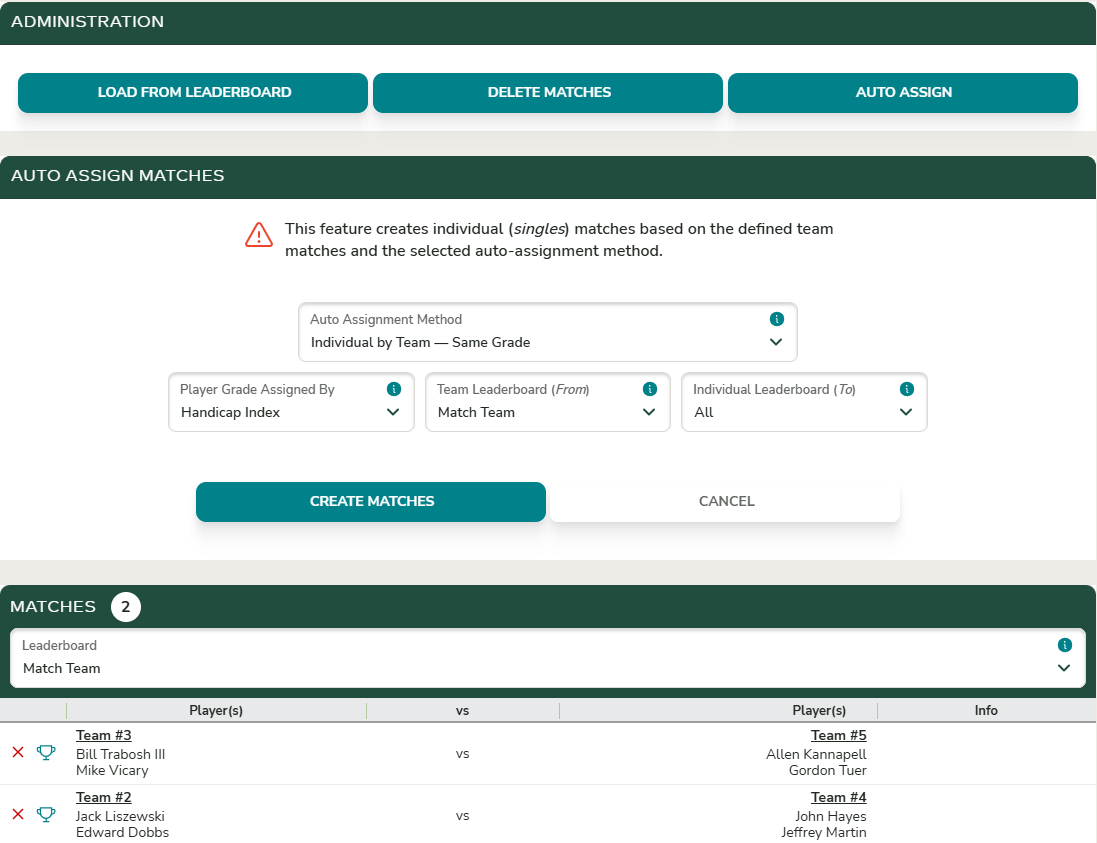
Auto create singles matches from team match assignment

When an event contains both team and individual matches within the same round, singles matches can be automatically created from the assigned team matches.
Typically, two-player teams compete in a team match, while the A players from each team play each other and the B players from each team play each other in separate matches.
To create the singles matches, click the Auto Assign button on the Matches page.
Auto-Assignment Methods
Individual by Team — Same Grade For each team match, singles matches are created by pairing the A player on one team with the A player on the opposing team, the B player with the B player, and so on.
Individual by Team — Opposite Grade For each team match, singles matches are created by pairing the A player on one team with the B player on the opposing team, and vice versa.
Individual by Team — Two Players Swap After Nine Holes For each two-player team match, A players compete against each other on the front nine holes, then switch so the A player competes against the B player on the back nine.
Player Grading
Player grades can be determined using the Handicap Index or the Playing Handicap for the event (or, in a multi-round event, the handicap for that specific round).