Event players import from excel

Overview
Unknown Golf allows you to quickly import player registration data to save time and streamline event setup. Follow the steps below to import a list into your event.
Importing Players into an Event
To import a list of players:
- Navigate to Event Setup / Home
- Click on Players button located in the button menu navigation towards the top.
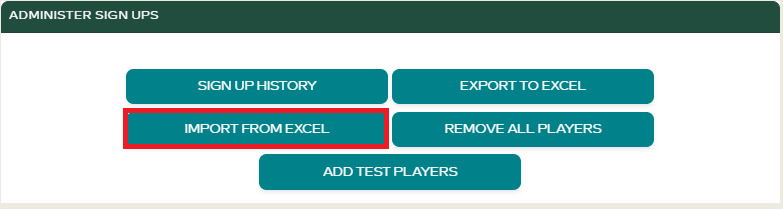
- At the top of the page, click Import From Excel.
- Upload a
.xlsxfile that includes player information in the proper format (typically: First Name, Last Name, Email, Handicap ID, etc.). - Review the preview screen to confirm data is mapped correctly.
- Click Import Players to complete the process.
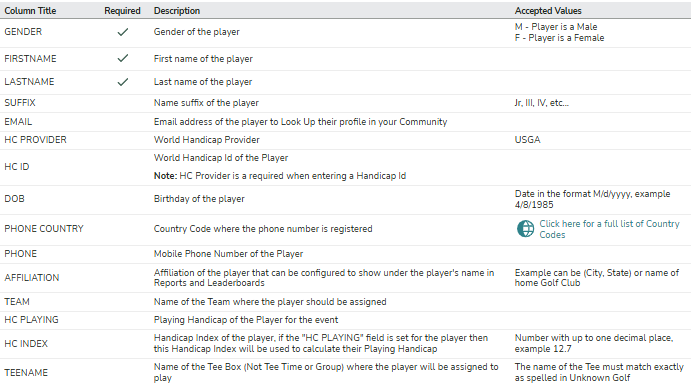
Ensure your XLSX matches the expected format. If you’re unsure, we recommend exporting a list first and using it as a template. Please review all column titles, requirements, and descriptions below.
Need Help Formatting Your Import File?
You can download a sample template from the Import page, or contact support@unknowngolf.com for assistance.