Registering and Adding Players to an Event

Manually adding players to an event begins by navigating from the Event Home to the Players page.
In the Add Player section, you will find a toggle with the following options for adding players to the event:
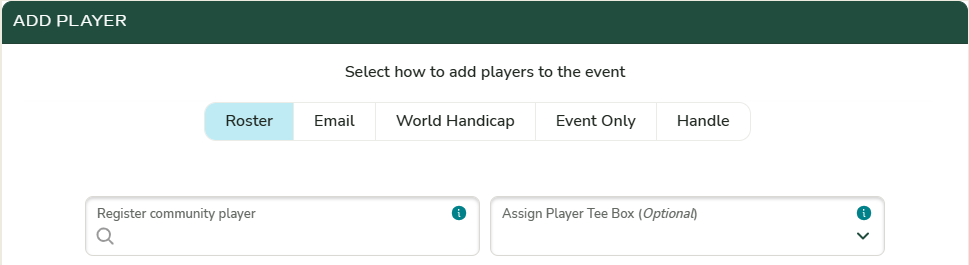
Roster
Search for and select a player from your Club or Community roster. If a tee box is selected, the player will be automatically assigned to that tee box.

Add a player to the event by first entering their email address, if a profile for the player already exists in Unknown Golf or in our partnered World Handicap systems then the player will directly added to the event, it no match is found then you will be prompted to enter the player's gender, first name, and last name.

World Handicap
Search the World Handicap System (USGA or Golf Canada) by player name, email, or handicap ID.

Event Only
Commonly used for corporate outings and charity events. Players added as “Event Only” are not associated with a player profile, will not receive event emails, and will not be included in club or community statistics or reports.

Handle
Similar to adding an “Event Only” player, but allows you to quickly enter a player name using a single field.
